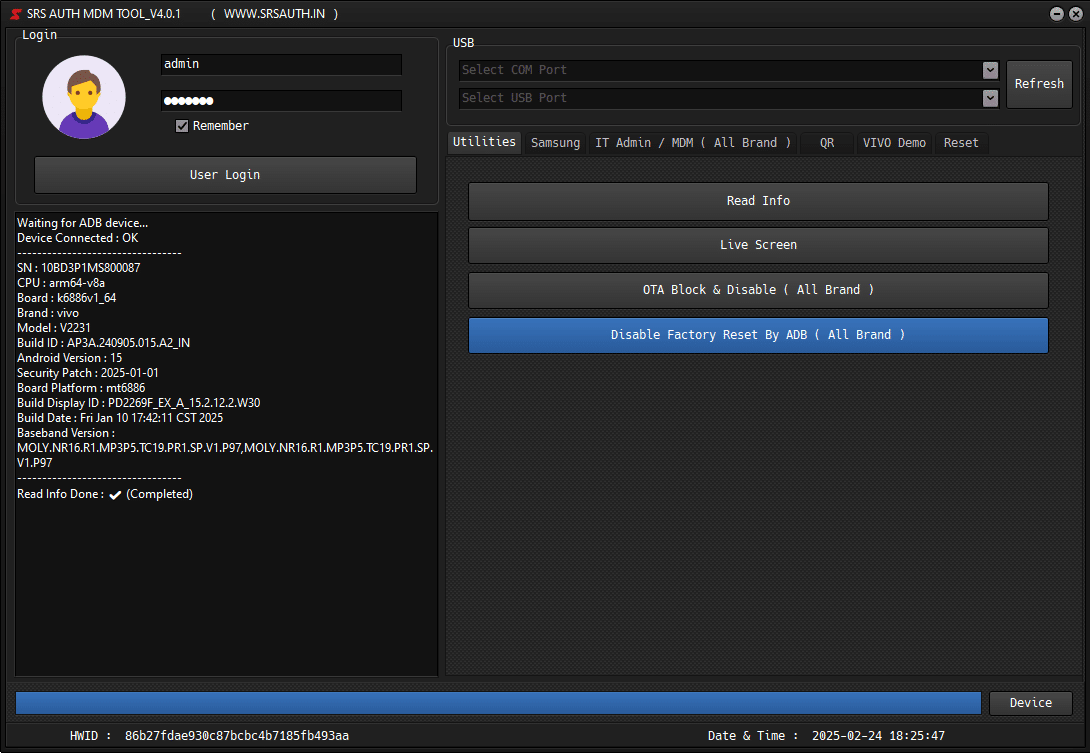
SRS AUTH TOOL V4.0.2 Android IT Admin Resolve Enhance Security Lock – FREE activated
★ ★ ★ ★ ★
Version: 4.0.2
Release Date: 17th-02-2025
Architecture: Windows 7 / 8 / 8.1 / 10 / 11 (32x / 64x)
File Type: WinRAR Compress
Change Log History
Version 4.0.2 – 24th Feb 2025
Enhance Freezing issues
Fix ADB Connect Issue
Enhance More Security System
Version 4.0.1 – 17th Feb 2025
Fix Tool Freezing issues
Fix Android 15 Live Screen issues
Fix Android 13/14 Android IT Admin
Userinfo Remeber Issue FIxed
Version 3.9.0 – 14th Feb 2025
Android 14/15 IT Admin Bypass OG Playstore With Email Change (All Brands) [Added]
IT Admin Hyper OS (Android 14/15 OG PlayStore) [Added]
New UI Changes
New Security
Steps to Bypass IT Admin Android 14/15 Official OG Store
1. Factory Reset Phone (Like Fresh).
2. Setup Phone Without Internet & Wi-Fi.
3. Don’t Open OG Play Store.
4. No Need To Login any Email Before Tool Process Complete.
5. Setup Full Phone and Enable USB Debugging from Developer Options.
6. Start Process in MDM Fix Pro Tool.
7. Now Successfully Done ✅✔️
Version 3.8.0 – 31st January 2025
Android 14/15 IT Admin Bypass OG Playstore With Email Change (All Brands) [Added]
IT Admin Hyper OS (Android 14/15 OG PlayStore) [Added]
Some UI Changes
Some Bugs Fixed
Steps to Bypass IT Admin Android 14/15 Official OG Store
1. Factory Reset Phone (Like Fresh).
2. Setup Phone Without Internet & Wi-Fi.
3. Don’t Open OG Play Store.
4. No Need To Login any Email Before Tool Process Complete.
5. Setup Full Phone and Enable USB Debugging from Developer Options.
6. Start Process in MDM Fix Pro Tool.
7. Now Successfully Done ✅✔️
Version 3.7.0 – 28th January 2025
KG Android 13 (Rebuild) [Added]
Samsung MDM (All Patches) [Added]
Android 15 IT Admin (All Brands) [Added]
⚠️ Important Notices ⚠️
🚨 Don’t Give On Rent At Low Prices.
🚨 Don’t Misbehave with Our Resellers And Admins.
😀 Otherwise BAN ⛔️❌
Steps to Unlock Axio Lock
1. Reset Phone (Make Sure FRP is Unlocked).
2. Scan with Hyper OS QR 1.
3. Setup Phone and Stop at Google Apps Screen.
4. Turn Off Internet Connection.
5. Setup Full Phone and Enable USB Debugging from Developer Options.
6. Click on Redmi MDM (All in One) in KG Killer Tool.
7. Now Successfully Done ✅✔️
Important Alert: Follow all steps carefully to avoid device issues.
Available for Download on IAASTeam.com