

Download FREE SamFw Tool 5.3 2026 – SamFw tool Remove FRP 2026 USA models
Download FREE SamFw Tool 5.3 2026 – Qualcomm Samsung Xiaomi LG Android Update #KG #FRP #1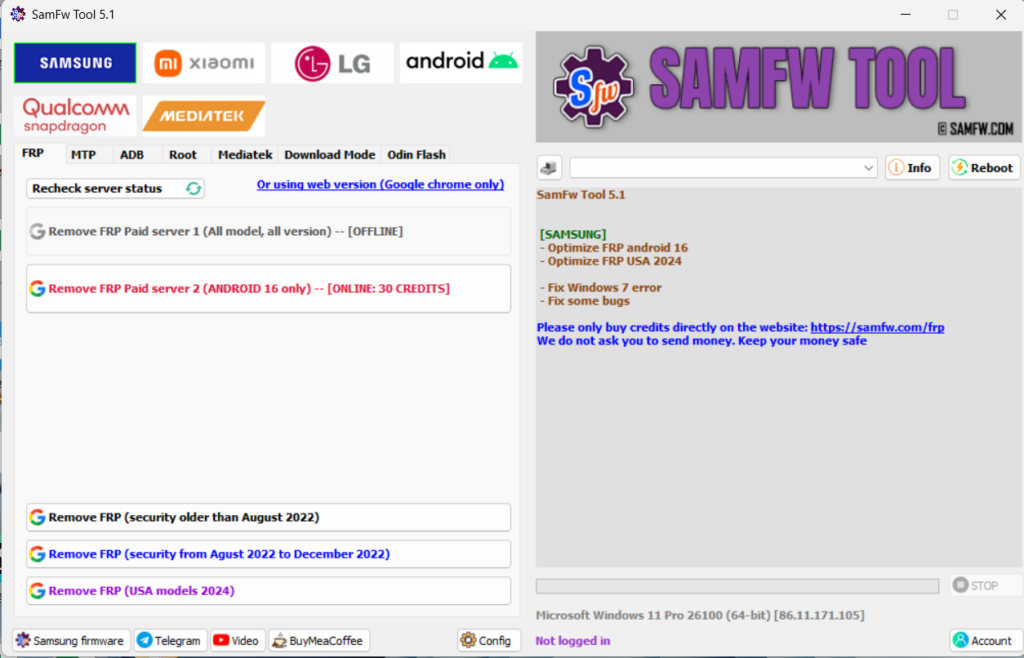
SamFw Tool 5.3
[SAMSUNG]
- Fix the FRP 2022 bug infinity loop
- Show Bit when read information
[ADB] - Add block change CSC when change SIM
[ANDROID]
[ADB] - Add open network settings
- Optimze ADB read information
- Fix some bugs
SamFw Tool 5.2
[SAMSUNG]
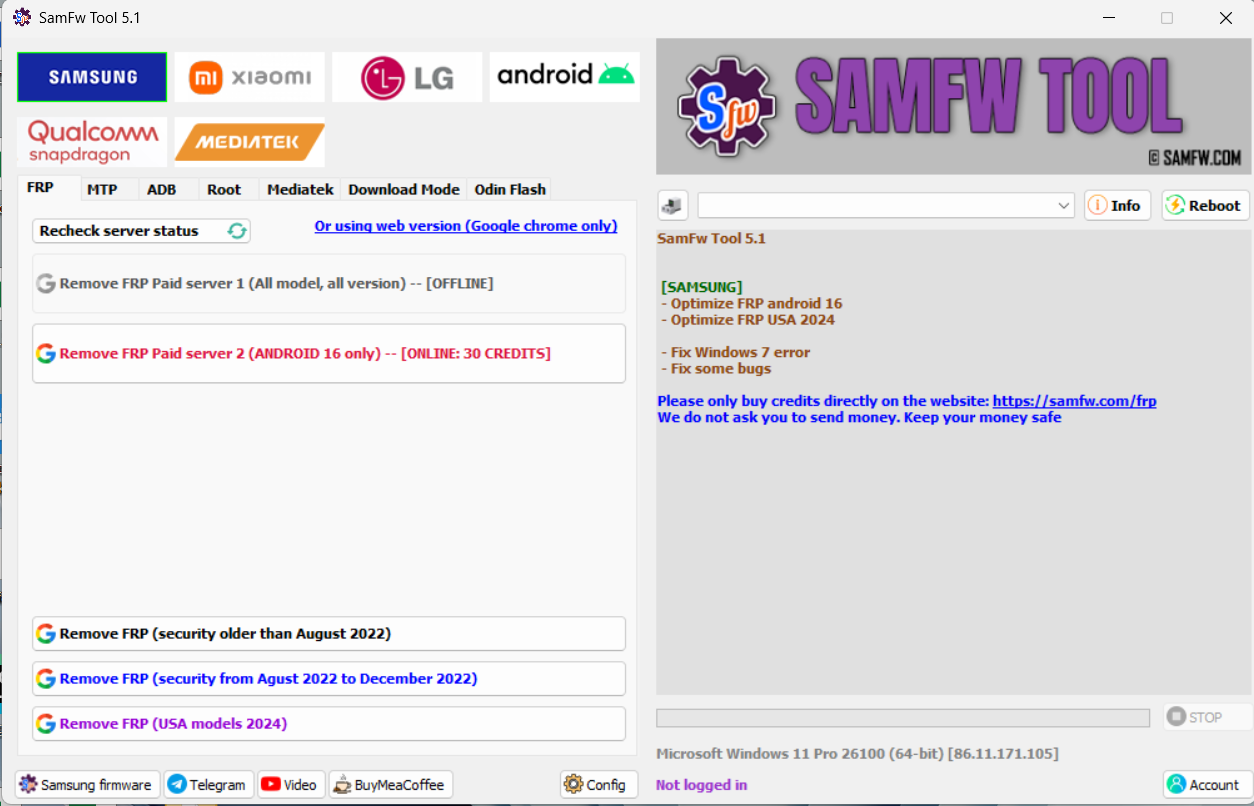
- Optimize FRP android 16
- Fix the samfw.comapi error when change the SN
- Allow FRP 2024 USA unlock model end with U1
[ANDROID]
[ADB] - Battery info show both ASOH and BSOH
- Optimize port information, show serial number
- Trying to fix the X509Certificates error
- Fix some bugs
SamFw FRP Tool 5.1 – Android 16 FRP, Battery Health & Charge Cycles in One Place (IAASTEAM Edition)
SamFw FRP Tool has become one of the go-to utilities for Samsung technicians who need a fast, PC-based way to handle FRP-locked phones, change CSC, and check device health. Version 5.1 builds directly on the big Android 16 update in v5.0, tightening FRP performance and adding quality-of-life improvements for 2024 USA models and newer One UI builds. (samfw.com)
🧾 Important notice: This tool is intended only for owners, authorized technicians, and service centers working on devices they are legally allowed to access. Always follow local laws and OEM policies when handling FRP-locked phones.
What’s New in SamFw Tool 5.1?
Compared with earlier 5.x builds, SamFw Tool 5.1 focuses on better FRP handling for the latest Samsung software and security levels: (samfw.com)
✅ Optimized FRP support for Android 16
Faster and more stable performance on devices upgraded to One UI 8 / Android 16.
✅ Improved handling for USA 2024 models
FRP routines tuned specifically for 2024 U.S. variants, where security patches are often stricter.
✅ Overall bug and stability improvements
Refinements to keep the tool running more smoothly on a wide range of Windows setups.
Think of 5.1 as a refined version of the 5.0 milestone, keeping the same core abilities but tuned for the newest firmware.
Recap: What 5.0 Introduced
Version 5.0 was the “big jump” that made SamFw Tool properly future-ready: (facebook.com)
🆕 FRP Android 16 service added
First major support for Android 16 / One UI 8 devices.
🆕 Battery information for One UI 8+
Reads advanced battery data on supported devices (health data exposed by the system).
🆕 Battery charge cycle counter
Lets technicians quickly gauge battery wear level without digging through hidden menus.
🛠️ Windows 7 issues fixed
Improved compatibility for older repair PCs still running Windows 7.
🛠️ Miscellaneous bug fixes and performance tweaks.
5.1 takes this same foundation and tightens FRP performance for Android 16 and recent U.S. models.
Main Features – SamFw FRP Tool (v5.1 Line)
1. One-Click FRP Handling (Authorized Use Only)
SamFw’s FRP module is designed to speed up legitimate service work on Samsung devices where FRP is blocking access and the real owner needs help. Compared with manual tricks and long command sequences, the tool condenses the process into a simple, guided workflow through the PC client. (samfw.com)
🔒 Use ethically: Only use FRP functions on devices you own or have formal permission to service (invoice, work order, or written consent).
2. CSC Change in a Few Clicks
SamFw FRP Tool also includes CSC (Country/Carrier code) utilities, useful when: (samfw.com)
Enabling features restricted to specific regions
Matching a phone’s CSC to the user’s current country or carrier
Preparing devices for resale in another market
This can help with OTA update availability, network features, and localized services.
3. Paid FRP Service for Newest Security Patches
For devices where classic FRP routines no longer work due to post-2023 security patches, SamFw integrates a remote, paid FRP service (credit-based) from a third-party server: (samfw.com)
Works with newer security levels that blocked earlier ADB-based exploits
You only pay when the unlock is successful; failed attempts keep credits in your account
Aimed at professional technicians handling modern Galaxy phones day-to-day
This gives workshops a legal, time-saving option compared with hit-and-miss “free trick” methods.
4. Battery Info & Charge Cycles (One UI 8+)
On devices running One UI 8 and above (Android 16), SamFw can read system-exposed battery data, including: (samfw.com)
Current battery status and health indicators
Approximate charge cycle count (how many full charges the pack has gone through)
For technicians, this is perfect for:
Evaluating whether a battery replacement is genuinely needed
Creating before/after documentation when selling used devices
Offering transparent reports to customers on device health
Typical Workflow (High-Level Overview)
Install requirements on your PC
Windows PC + Samsung USB drivers + SamFw FRP Tool (latest version). (LinkedIn)
Connect the device using a supported connection mode
The tool supports multiple connection types (MTP, download mode, etc.) depending on the task.
Choose the module you need
FRP (authorized use only)
CSC tools
Battery & charge cycle readout (One UI 8+)
Follow the on-screen prompts from the tool
For each function, SamFw guides you through the required steps directly inside the PC client.
Verify results & document the job
Check that the phone is working as expected, and record the work performed for your customer.
This keeps the process streamlined without exposing sensitive, low-level exploit steps.
Why Technicians Gravitate Toward SamFw FRP Tool 5.1
From a workshop perspective, SamFw 5.1 hits a sweet spot between power and practicality: (samfw.com)
🧩 Wide version coverage – Designed for Android 16 / One UI 8 and earlier, with constant updates.
💻 PC-friendly – Lightweight Windows client that runs well even on older repair PCs.
🔄 Regular updates – Features and patches are refreshed as Samsung rolls out new firmware.
💼 Fits real repair workflows – FRP handling, CSC adjustment, and quick battery diagnostics are all common, paid services in a GSM lab.
[MAIN]
– Optimize read information faster
– Fix MTP reboot sometime return FAIL
[SAMSUNG]
– Add FRP 2024 (USA models)
– Move change CSC to MTP tab. Accept change without ADB
[FRP] – Add recheck paid service status
– Add auto write log to file
– Fix the X509 Certificate problem when run application
– Fix some bugs
In This new update version. Samfw has Added Samsung remove FRP 2024 USA model
SamFw Tool 4.8.1
[SAMSUNG]
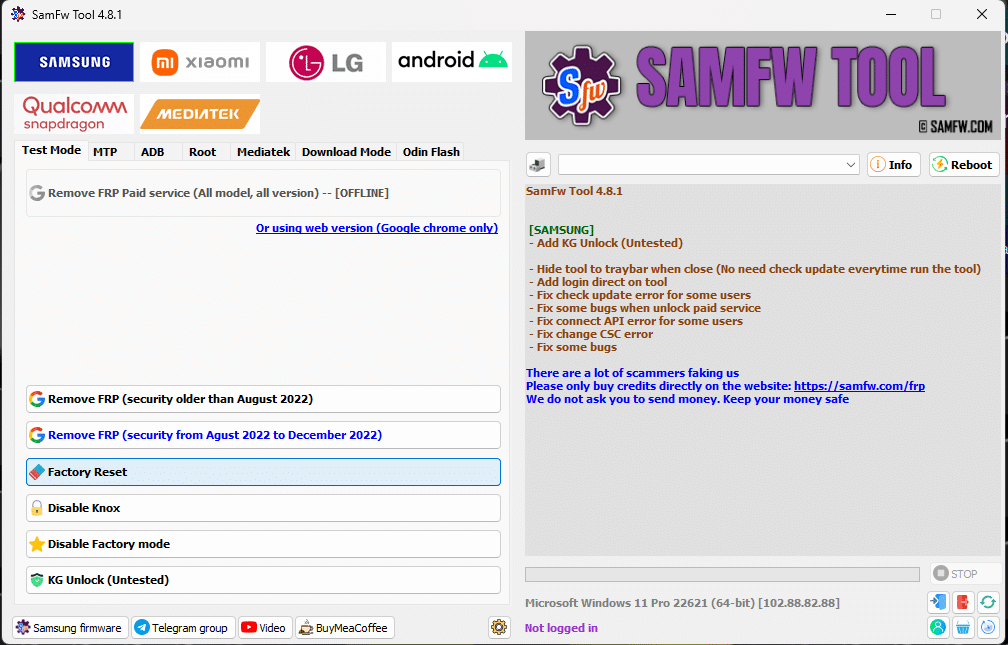
– Add KG Unlock (Untested)
Hotfix the change CSC error
– Hide tool to traybar when close (No need check update everytime run the tool)
– Add login direct on tool
– Fix check update error for some users
– Fix some bugs when unlock paid service
– Fix connect API error for some users
– Fix some bugs
SamFw FRP Tool 4.7.1
SamFw Tool 4.7.1 – 23.05.2023 Auto Update Release ~ IAASTeam.com
SamFw Tool V4.7.1 – Remove Samsung FRP one click Factory Reset Format Userdata
SamFw FRP Tool 4.7.1
Download SamFw Tool 4.7.1 [FREE]
Greetings,
We’re thrilled to present the latest iteration of the SamFw FRP Tool, version 4.7.1.
Key Features:
– One-click FRP removal
– One-click CSC alteration
– FRP removal for the latest security patch (August 2022)
– Premium FRP removal service
– Instant FRP removal with a single click
To utilize these features, follow these simple steps:
1. Connect your smartphone to your PC.
If you haven’t installed the Samsung driver yet, please do so.
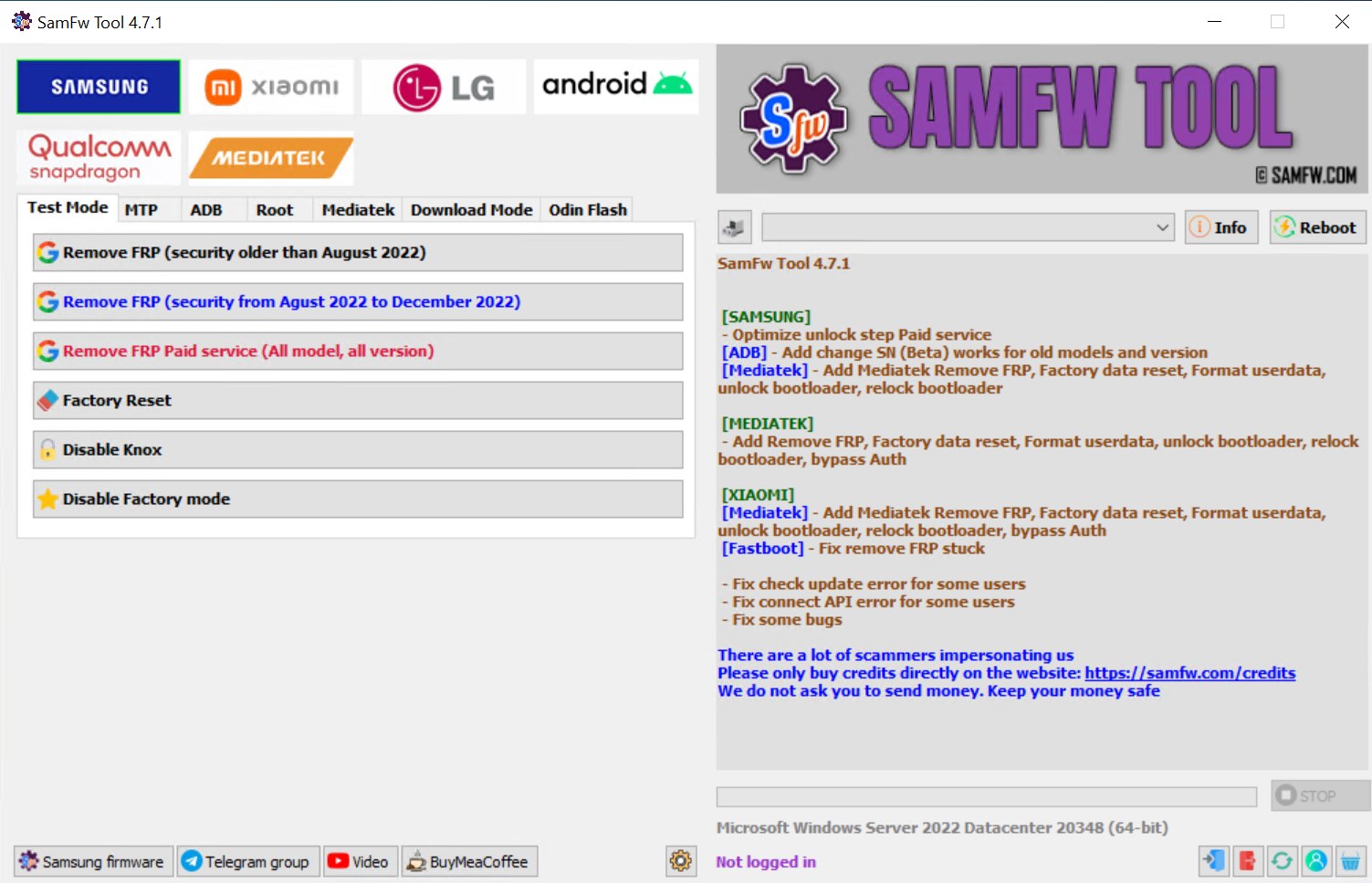
2. Access the emergency call feature and input *#0*#.
3. Select ‘Remove FRP’ on the SamFw FRP Tool.
4. If a prompt for USB debugging appears on your phone, please accept it.
5. Your phone will automatically reboot once the FRP removal process is complete.
Experience the ease of FRP removal with SamFw FRP Tool 4.7.1.
Hot Fix FRP Remove Failed Error [UpDATE]
After update, if Remove FRP got this error: Removing… FAIL
Download above file. Copy to C:\SamFwTool\data (if missing)
How to Use SamFW FRP Tool ?
SamFw Tool 4.7.1
Download SamFw Tool 4.7.1 New Bug Fix Update Release
⚡️Optimized FRP Unlock Paid Method ✅
Latest Update SamFw Tool 4.7.1 Free Download (Working 100%)
SamFw Tool 4.7.1 is a powerful tool that can be used to unlock, fix, and manage a wide range of Android devices. The new features and improvements in SamFw Tool 4.7 make it an even more powerful and versatile tool.
Here are some additional details about the new features in SamFw Tool 4.7.1:
SamFw FRP Tool 4.7.1 FRP One Click
Download SamFw FRP Tool 4.7.1 [FREE]
SamFw FRP Tool 4.7.1 – One Click FRP Tool 2023
SamFw Tool 4.7.1
[SAMSUNG]
– Optimize unlock step Paid service
[ADB] – Add change SN (Beta) works for old models and version
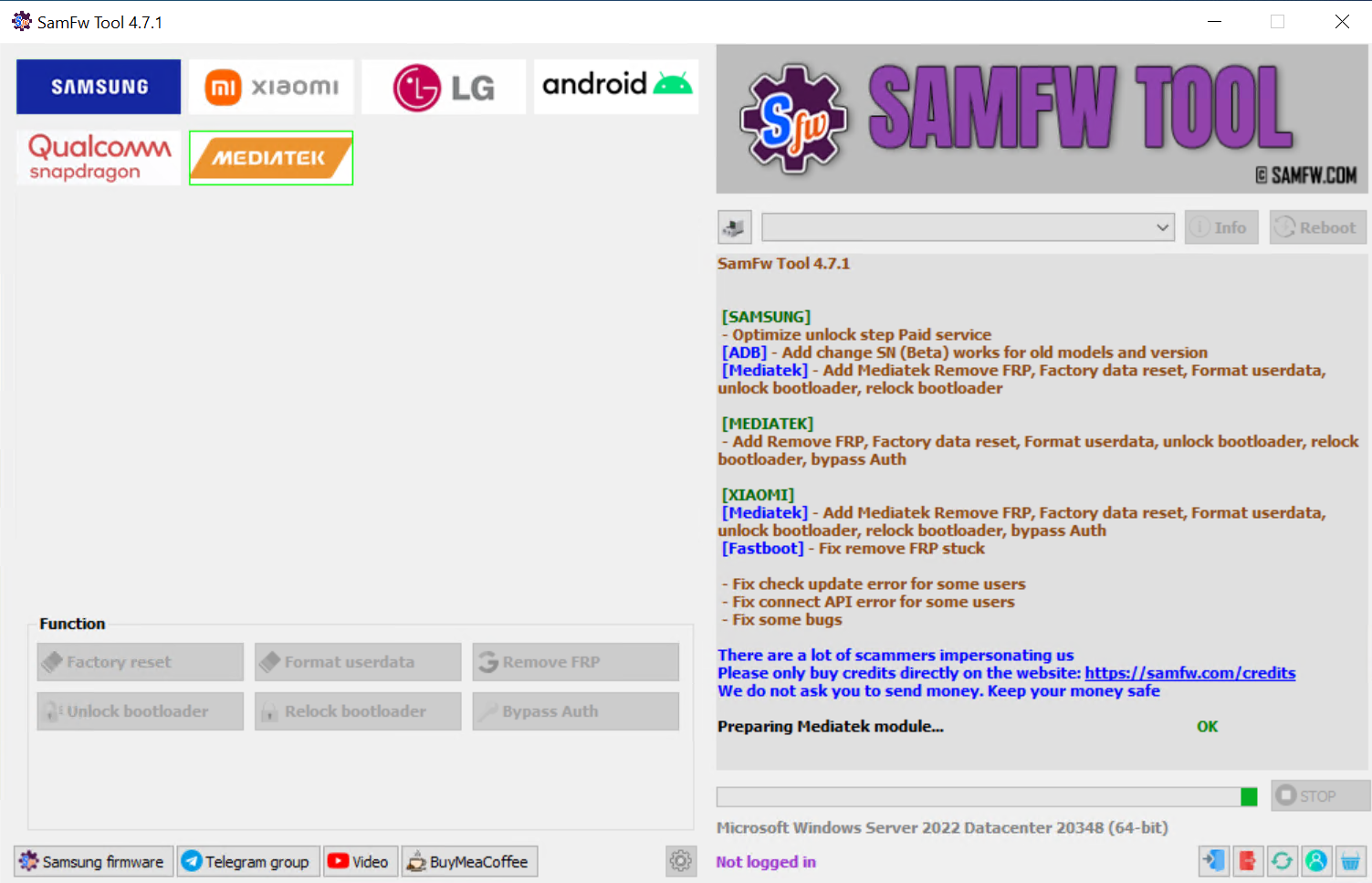
[Mediatek] – Add Mediatek Remove FRP, Factory data reset, Format userdata, unlock bootloader, relock bootloader
[MEDIATEK]
– Add Remove FRP, Factory data reset, Format userdata, unlock bootloader, relock bootloader, bypass Auth
[XIAOMI]
[Mediatek] – Add Mediatek Remove FRP, Factory data reset, Format userdata, unlock bootloader, relock bootloader, bypass Auth
[Fastboot] – Fix remove FRP stuck
– Fix check update error for some users
– Fix connect API error for some users
– Fix some bugs in new Update
SamFw Tool 4.6 the XIAOMI Killer Update
⚡️ FRP Paid service (All model, All version) ONLINE NOW ✅
SAMSUNG
– Add unlock FRP all version, all model (paid service)
[MTP] – Fix Read info MTP error after enable adb fail
– Fix some bugs
SamFw Tool hotfix 4.6
Fix the login Api button
List of Features and Fixes (Changelog)
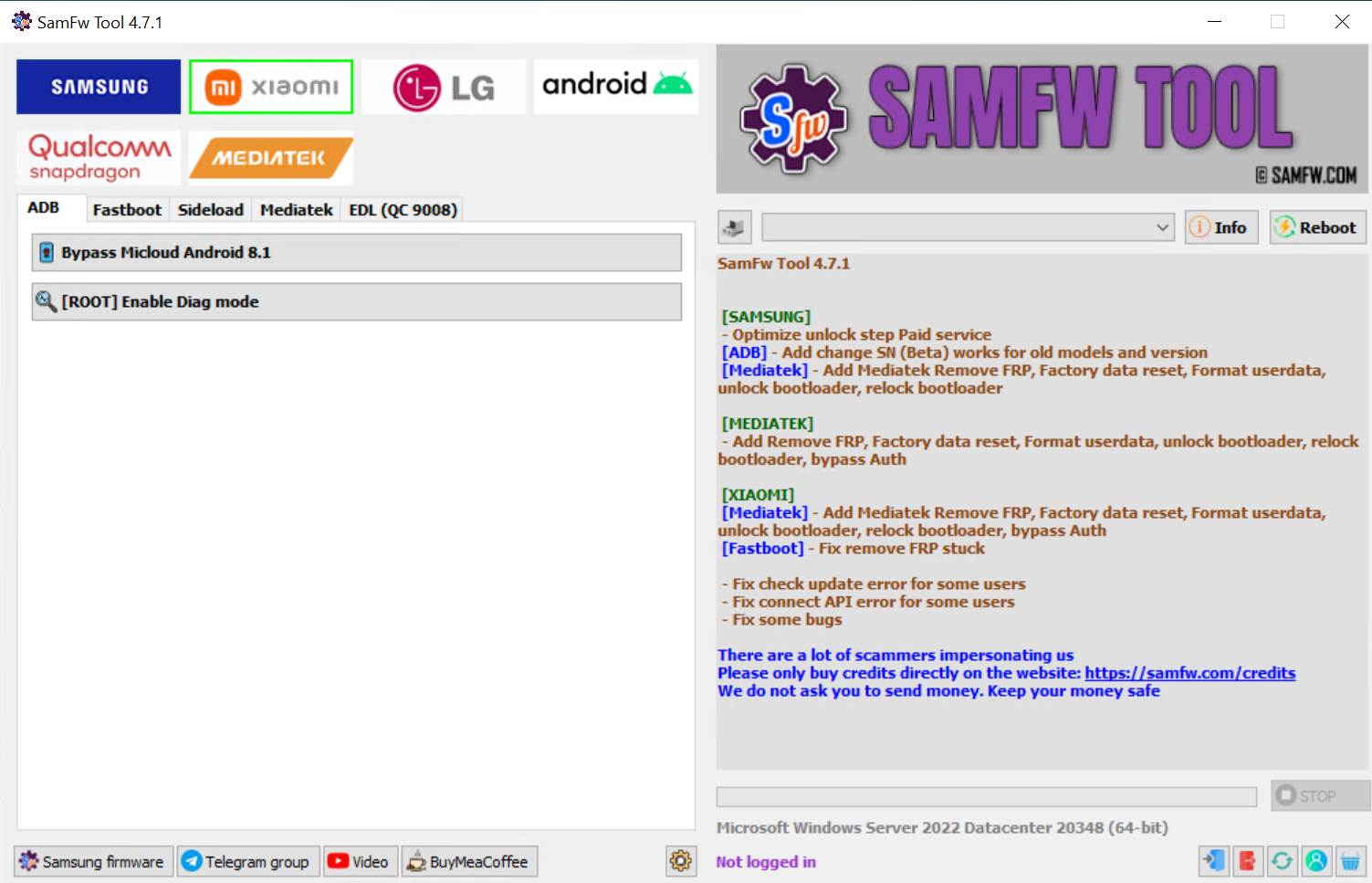
Added support for EDL 9008 mode for the following devices: Blackshark 3, Mi Max 2, Mi Max 3, Mi 6, Mi 6X, Mi 8, Mi Mix 2, Mi Pad 4, Redmi Note 5/6/7, Redmi S2
Added support for Factory reset/Reset FRP/Reset Micloud
Fixed Windows 7 error
Optimized execute size
Updated new C++ download links
Fixed some bugs
The SamFw Tool 4.4 has undergone several changes and updates. Firstly, it has added support for various Xiaomi models such as Blackshark 3, Mi Max 2, Mi Max 3, Mi 6, Mi 6X, Mi 8, Mi Mix 2, Mi Pad 4, Redmi Note 5/6/7, and Redmi S2 in the EDL 9008 mode. Additionally, it has included support for Factory reset, Reset FRP, and Reset Micloud.
Furthermore, the tool has fixed an error related to Windows 7, optimized its execute size, and updated new C++ download links. Lastly, some bugs have been addressed to enhance its overall performance.
SamFw Tool 4.3 -Qualcomm Snapdragon Optimized Release
[SAMSUNG]
[MTP] - Fix Enable secret code Verizon function for devices with more than one Diag port
[QUALCOMM]
- Add EDL 9008 Partitions manager (Read/Write/Erase)
- Add EDL 9008 Reset FRP, Factory reset, Erase userdata
[XIAOMI]
[SIDELOAD] - Fix device not found on some old devices
[ANDROID]
[ADB] - Add install multiple applications
- Fix some bugs
SamFw Tool 4.2 -Samsung LG Improved Update on 07.03.2023
For Samsung devices:
[MTP] – Info Samsung MTP: adds the ability to read Android version and FRP status.
[MTP] – Fix stuck Waiting for DIAG port (Enable secret code Verizon).
[MTP] – Fix detect Testmode for change CSC.
For LG devices:
[LG UP] – Add LG UP (Flash KDZ LG).
For Android:
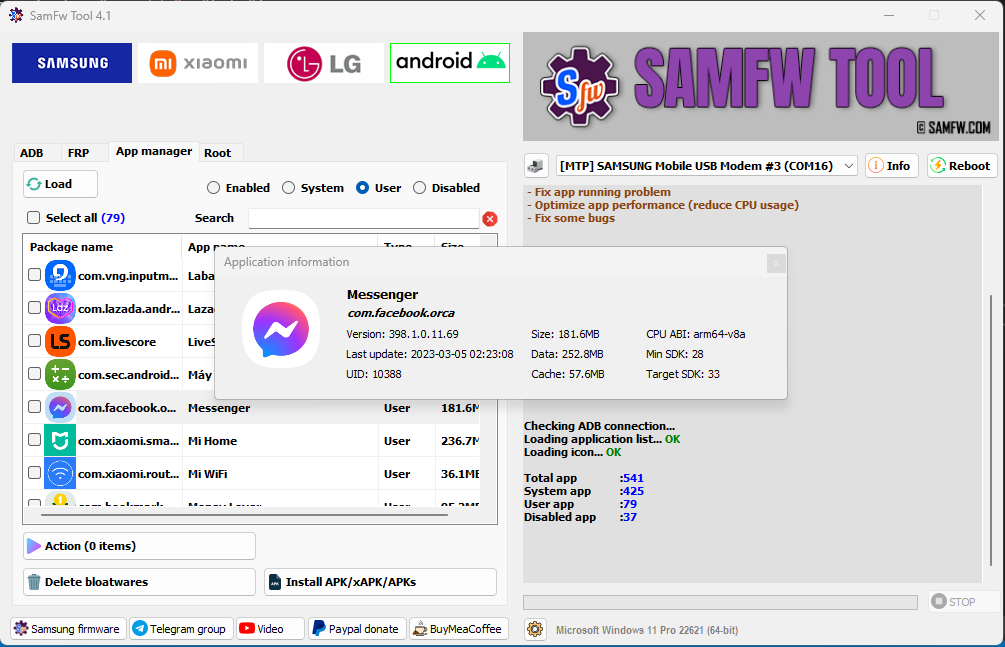
[ADB] – Add Applications manager.
Fix app running problem.
Optimize app performance by reducing CPU usage.
Fix some bugs.
SamFw Tool 4.2 2023 Main Update Release
SamFW Tool V4.2 fix the Remove FRP (new security) bug.
We add Rapid mode for low configuration computer
Bad new: Samsung security 2023 fix the FRP remove exploit.
Try downgrade if you can not remove FRP
Note Fix update server for some computer
Fix some bugs
Fix can not detect MTP Samsung ports on some PC
Fix Drive sign check and optimize for multi-system PC
Add and optimize Reboot, Read information, support LG
Check Driver signature enforcement status
Disable/Enable Driver signature enforcement
Install Samsung USB driver
Install VC++ 2015 (for ADB works)
SamFw Tool 4.1 SAMSUNG
[DOWNLOADMODE] – Add Factory reset
[ADB] – Fix read CSC list, improve change CSC function
[ROOT] – Add Change CSC root mode: automatic/manual mode
[Test Mode] – Improve Remove FRP (new security)
Samsung Extra
Test mode (*#0*#)
Remove FRP
Remove FRP new security
Factory reset
Disable Knox
Disable Factory mode
MTP mode
Factory reset
Enable secret code for Verizon
ADB mode
Change CSC
Remove Samsung account
(This function works to remove the account in Settings only, not supporting locked state)
https://youtu.be/DetbLv0hvd4
SamFw FRP Tool Older Edition
SamFw Tool 2024.01.21 Update
SamFw Tool V4.5.2 – IAASTeam.com Update 2023
SamFw Tool 4.6 – New For Android Samsung FRP LG Xiaomi Devices
SamFw Tool 4.2 – Read offline micloud information – Bypass Micloud sideload (anti relock)
 Official Credits For SamFW FRP Tool
Author: Tungtata
Official support/discuss/request Telegram: https://t.me/iosandandroidservices
Thanks to nguyentuan.kiet.7583 for your commands
Thanks to omarbusiness052, Mohamed Janati for your suggestion
Thanks to Sophada for all your help
