

Logs To Keys.json v3.3.0 – Convert MTK Service Logs free 1 Click Operation 2025
Logs To Keys.json v3.3.0 – Convert MTK Service Logs Into a Clean keys.json (Standard + Honor)
By Aamir_Buneri | Shared via IAASTEAM
OVERVIEW
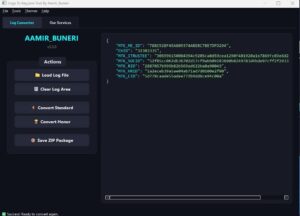
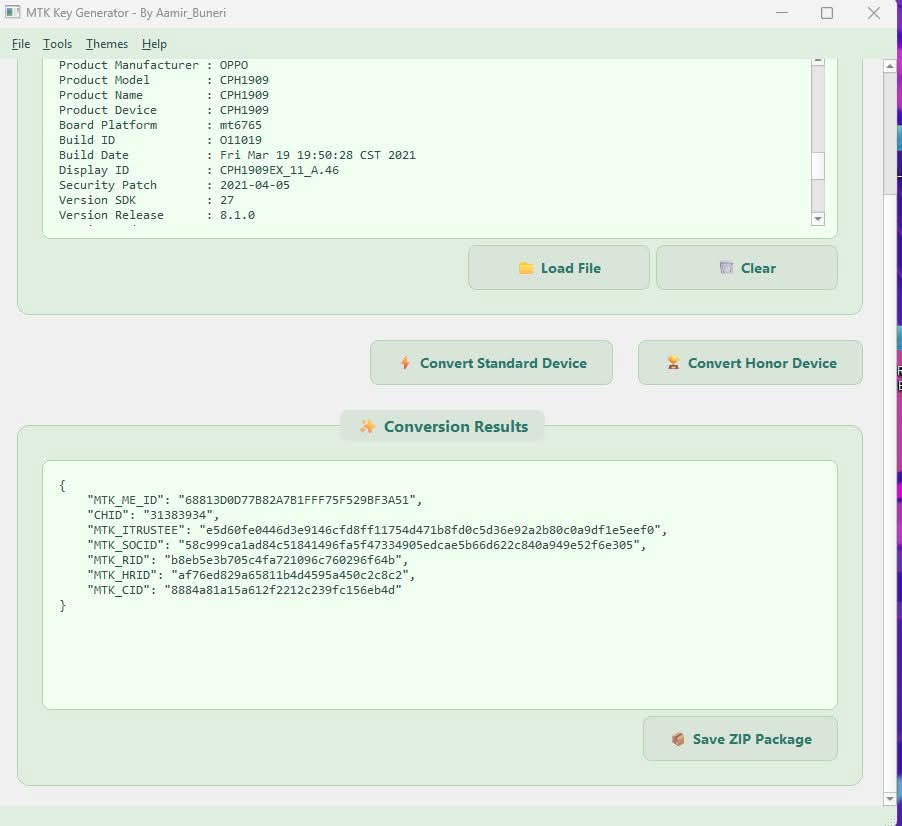
From the earliest instruction to the final export, Logs To Keys.json v3.3.0 helps authorized repair engineers transform supported MTK service logs into a validated keys.json bundle. The app parses device-identifying tokens (e.g., MTK_ME_ID, CHID, MTK_ITRUSTEE, MTK_SOCID, MTK_RID, MTK_HRID, MTK_CID) and outputs a tidy JSON preview before packaging. It ships with both “Convert Standard” and “Convert Honor” pipelines, plus one-click ZIP export. The interface is lightweight, fast, and available in light or dark theme (as shown in the screenshots).
WHAT IT DOES (AT A GLANCE)
• Reads supported MTK service/operation logs and extracts required tokens.
• Normalizes values and builds a clean keys.json file.
• Supports two conversion profiles: Standard and Honor.
• Shows a live JSON preview so you can verify each field.
• Saves a ready-to-share ZIP package (keys.json inside).
SUPPORTED LOG SOURCES (TESTED)
• DFT logs
• UMT logs
• CM2 logs
• Pandora logs
• Android Utility Tool logs
• NooxTool logs
• …and many more commonly used MTK service logs
PLATFORM / CHIP FAMILIES
• New: MT6779 support added in v3.3.0
• Broad Mediatek coverage (based on the tokens shown in the app’s JSON preview)
KEY UI AREAS
• Load Log File – import your raw service log.
• Convert Standard / Convert Honor – run the correct parser profile.
• Conversion Results – inspect the generated JSON (MTK_ME_ID, CHID, MTK_ITRUSTEE, MTK_SOCID, MTK_RID, MTK_HRID, MTK_CID).
• Save ZIP Package – export keys.json inside a compressed archive.
WHY TECHNICIANS LIKE IT
• Consistent JSON structure that downstream tools expect.
• Faster than manual copy-paste from raw logs.
• Visual verification prevents typos and malformed fields.
• Works with a wide range of popular log formats collected in the field.
BASIC WORKFLOW (NON-INSTRUCTIVE SUMMARY)
Load your supported MTK service log
Choose the right profile (Standard or Honor).
Verify the JSON preview (all fields populated correctly).
Save ZIP Package to export keys.json for your lawful service pipeline.
GOOD PRACTICE & LEGAL NOTICE
• Use only on devices you are authorized to service.
• Restore device identity or complete legitimate after-sales workflows; do not attempt to alter identities or bypass protections unlawfully.
• Keep customer records (proof of ownership, work order) and follow local laws and OEM policies.
• If in doubt, escalate to an authorized service center.
WHAT’S NEW IN V3.3.0
• Added MT6779 support.
• Improved conversions for a broader set of real-world logs.
• Stability and UX refinements.
TROUBLESHOOTING TIPS
• If a field is blank in the JSON preview, re-check that your source log is complete and from a supported tool.
• Always match the conversion profile (Standard vs. Honor) to the device/vendor family indicated in your work order.
• Keep a copy of the original log with the job ticket for compliance and future audits.
