

APIZU TOOL V4.1.5 PRO – FREE LOGIN DOWNLOAD (2025)
Updated: July 1, 2025 | Author: SNOOKS4TECH
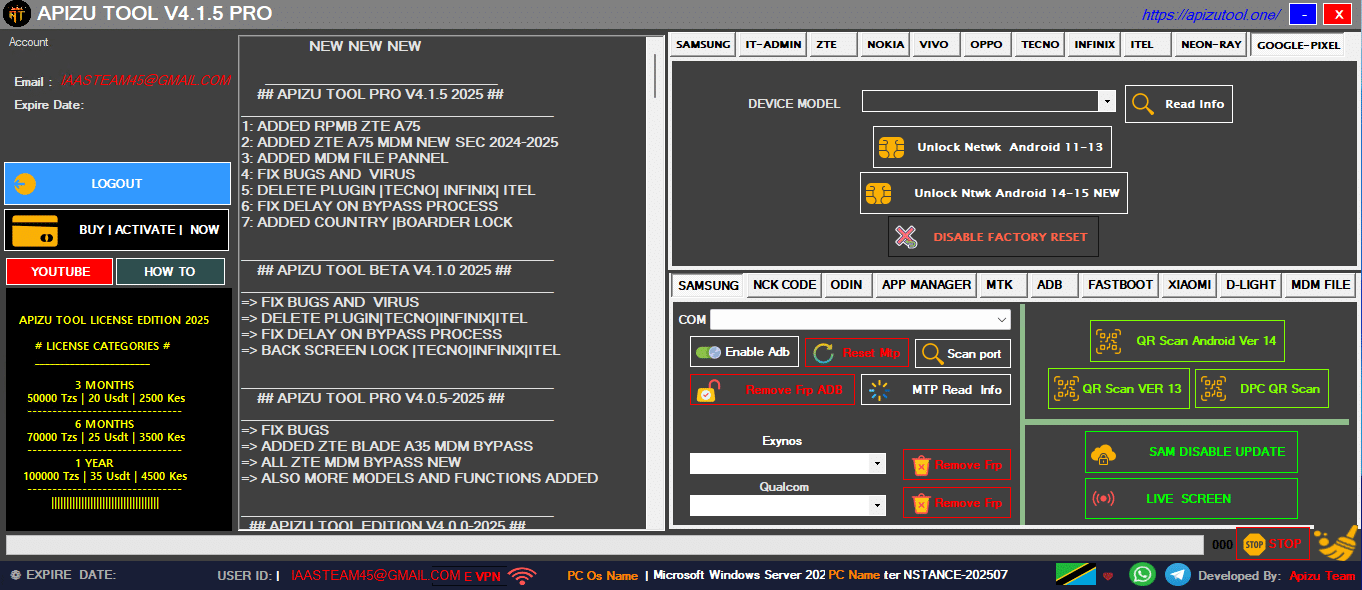
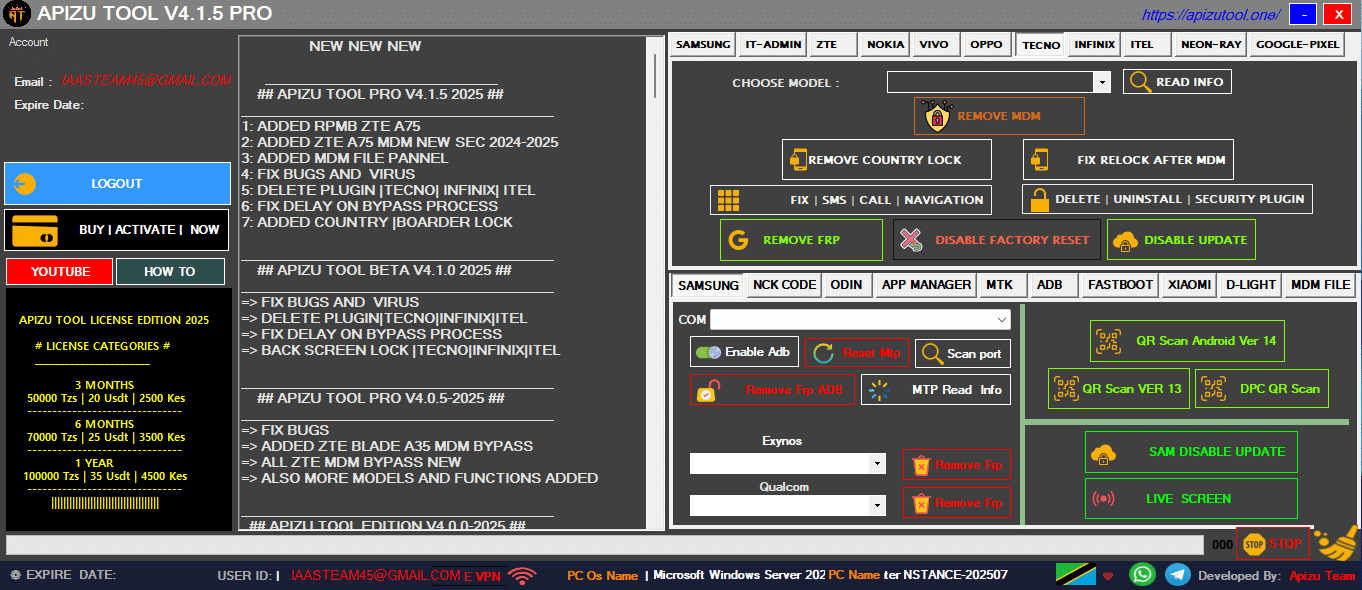
APIZU Tool has transformed into an essential all-in-one mobile servicing powerhouse. From humble beginnings, it now delivers premium-grade tools trusted by smart technicians worldwide. With constant updates, support for new models, and professional features like:
- ✅ MDM Bypass – Samsung, ZTE, Pixel, and more
- ✅ FRP Removal – Comprehensive solutions across brands
- ✅ ADB, Fastboot & Region Unlock tools
- ✅ Full support for MTK & Odin Utilities
- ✅ Extensive brand coverage: Tecno, Itel, Nokia, Xiaomi, Vivo, Oppo & others
It’s more than software—it’s the modern technician’s secret weapon.
🚀 Key Features of APIZU Tool
📱 Samsung Tab
- Remove MDM (Android 11–14)
- QR Scan (Version 13 & 14)
- Disable Factory Reset
- Fix KG Relock
🌟 Samsung Extra Tools
- Enable ADB, Reset MTP
- Scan Port & Read MTP Info
- FRP Removal (ADB, Exynos, Qualcomm)
- QR DPC Scan, Disable Updates
- Live Screen Access
🛡️ IT Admin Tools
- Read/Remove IT Admin
- Disable Factory Reset
- Stop Processes
- Supported: All Android 11–14, Tecno, Infinix, Itel, Nokia, Oppo, Pixel & More
📲 Other Brand Tabs
- ZTE: Remove MDM, RPMB Tools, Disable Reset
- Nokia: MDM Removal, Reset Protection
- Vivo/Oppo: MDM & Factory Reset Removal, OTA Disable
- Tecno/Infinix: MDM, Relock Fix, FRP Removal, Country Lock Fix
- Pixel: Network Unlock (Android 11–15), MDM Disable
🔐 NCK Code & Advanced Utilities
- Calculate NCK Code (Brand + Model + IMEI)
- Odin Tab for Samsung: Port Selection, Info Read, Mode Reboot, Factory Reset
- App Manager: Install/Delete Tools like Test DPC, Shizuku, Alliance
- MTK Tools: FRP, BROM Bypass, Screen Lock Removal, Auth Bypass
- ADB & Fastboot Controls: Reboots, FRP Reset, Bootloader Unlock
- Xiaomi Tools: Mi Account Disable, FRP, Factory Reset Protection
💾 MDM File Library
Quick access to MDM files for Samsung, Tecno, Infinix, Itel, Nokia & All-in-One solutions.
🆕 Latest Changelog – What’s New in V4.1.5 (2025)
- ✅ RPMB ZTE A75 Added
- ✅ ZTE A75 New MDM Security 2024–2025 Support
- ✅ MDM File Panel Introduced
- ✅ Plugin Removal for Tecno, Infinix, Itel
- ✅ Bypass Process Speed Boost
- ✅ Country Lock Removal Added
For full changelog history, scroll down to discover updates from previous versions.
📌 Why Technicians Prefer APIZU Tool
- No License Required
- Simple Credit-Based System (Credits deducted only on first successful process)
- Supports Return Devices with no extra credit deduction
- Wide device & brand compatibility
🛠️ How to Install APIZU Tool – Step-by-Step
- Download: Get the latest setup file from the official link below.
- Extract: Use WinRAR or 7-Zip to extract the file.
- Disable Antivirus: Temporarily disable to avoid interference.
- Install: Run the setup and follow instructions.
- Launch as Administrator: Right-click shortcut > Run as Admin.
- Register: Enter your email & password (No verification needed).
- Login & Start: Enjoy full access to all supported features.
⬇️ Download APIZU Tool V4.1.5 Pro Now
Official Download Link: Click THE onsite download link
💡 Also Recommended:
- OMH Xiaomi Unlock Tool 2022 Final – Free for All
- Xiaomi Redmi 9A Fix Tool – Hang on Logo/IMEI Repair
- ROM2Box Qcom & MTK Edition – 2025 Free Download
- Huawei Y7 2019 eRecovery Fix & IMEI Repair
⚡ Stay updated with the latest mobile servicing tools only on iaasteam.com.
